If you fly an Antigravity A1, you can now upload the file straight from the drone's card — the raw .insv — and get a Gaussian Splat built from the original fisheye images, level and at real-world scale, with a 3D mesh included. No stitching, no export from the desktop app, no direction lock to remember.
The A1 goes through the same native pipeline we built for the Insta360 X5 and X6, adapted to its own optics and its own way of moving.
One A1 flight, both outputs: the Gaussian Splat and the 3D mesh, rendered along the drone's real path.
What you get from an A1 .insv
| Raw A1 .insv | Exported equirectangular .mp4 | |
|---|---|---|
| Input | The two original fisheye images | A stitched 2:1 panorama |
| Stitching artefacts | None | Along the seam between the lenses |
| Rolling shutter | Corrected with the gyroscope | Not corrected |
| Level scene | Automatic, from the drone's IMU | No |
| Real-world scale | Automatic, from the IMU | No |
| 3D mesh in the download | Level and to scale | Needs scaling and levelling by hand |
How the pipeline handles the A1
The A1 is not just an Insta360 with propellers. Its lenses, its motion and its sensors are different, so we adapted each step.
- Recognised automatically. The .insv carries the camera's identity in its trailer. When it reads "Antigravity A1", the upload goes to the native pipeline on its own: you only pick Antigravity on the upload page.
- The two original fisheye images. The A1 records two 3840×3840 fisheye streams at 29.97 fps, one per lens. We work on them as the lenses saw them, without stitching them into a panorama first.
- Calibrated for its optics. The A1's lenses point up and down rather than front and back, they sit about 67 mm apart — around four times the distance on an X5 — and each one sees about 200°. We calibrated the rig ourselves on a target board, so the two views fit together precisely.
- Rolling shutter corrected. The sensor reads its rows one after the other over about 21 ms, and a moving drone shifts during that time. We correct every row with the gyroscope, both when computing the camera positions and when preparing the images for training. On our test flights, distant details came out visibly sharper.
- Level and to scale from the IMU. The camera positions come from structure-from-motion guided by visual odometry, the IMU and loop closure. The IMU also gives us gravity and true scale: the ground is flat, walls are vertical, and one metre in the scene is one metre on site.
A test flight, explored in the viewer
We flew the A1 around a country building, uploaded the .insv as it came off the card, and opened the result in our 3D viewer.
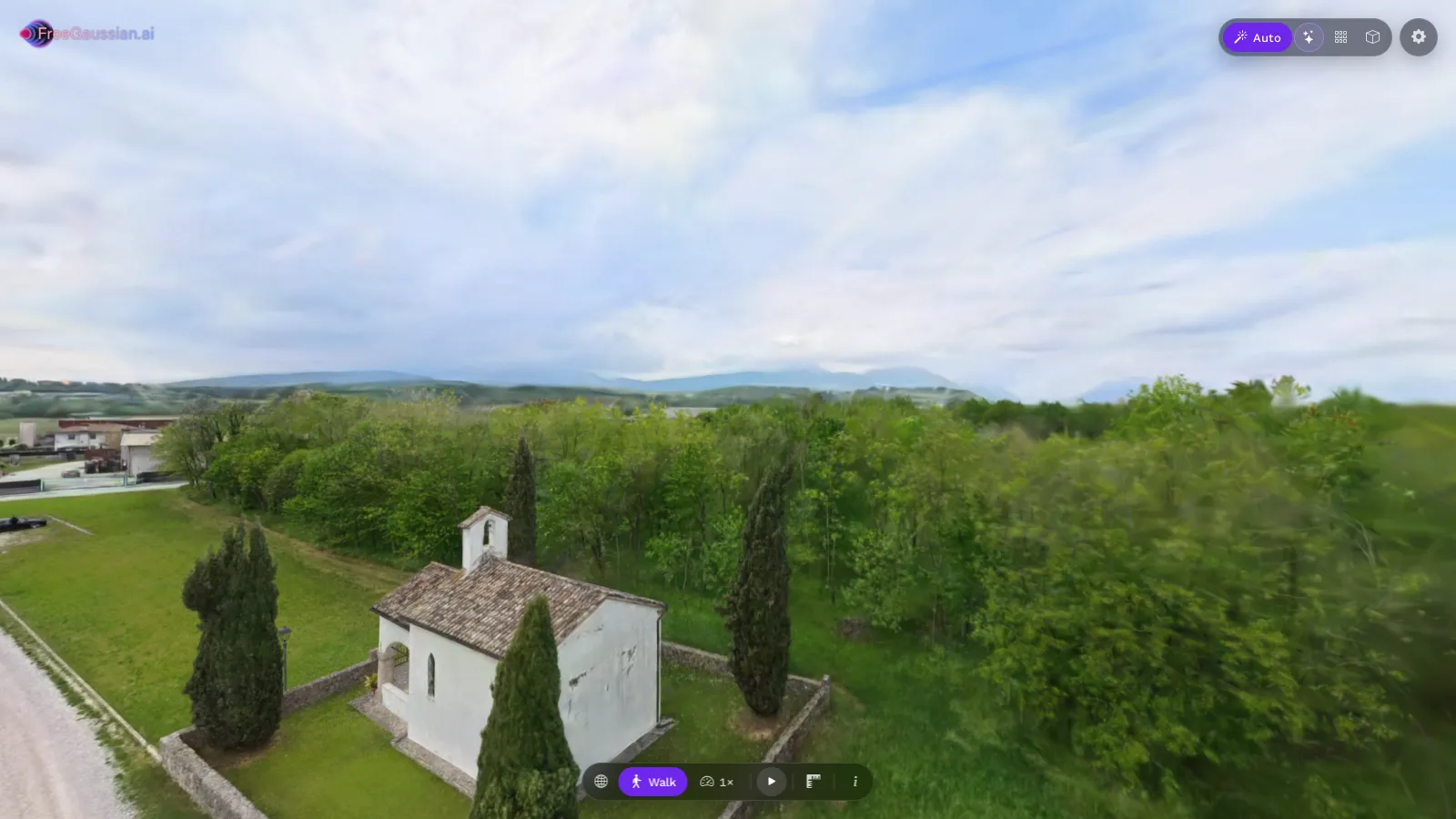 The scene opens where the drone was: in the air, at the height it flew.
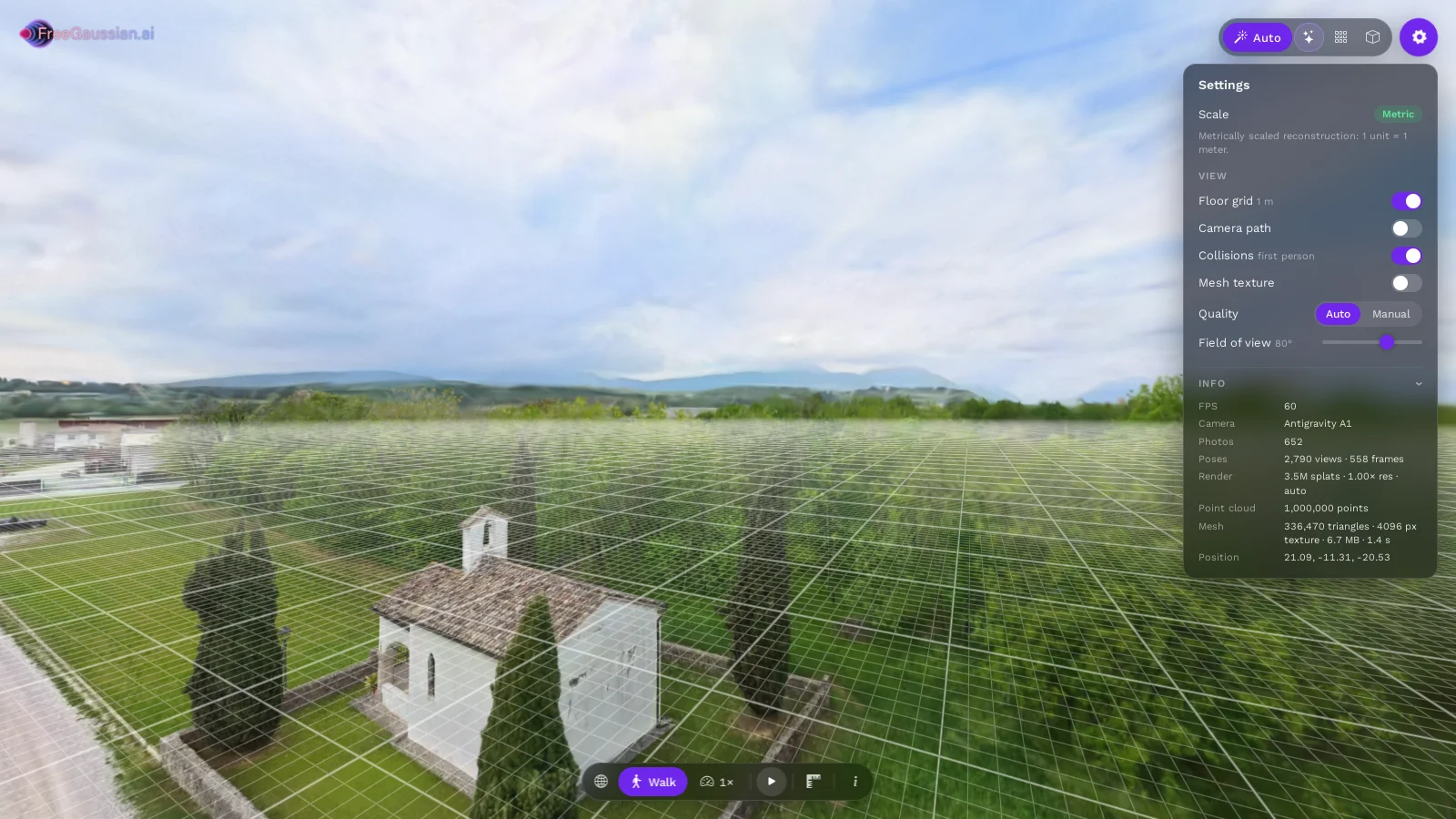 The scene is metric, so the floor grid is in real metres, and the camera is read from the file: Antigravity A1.
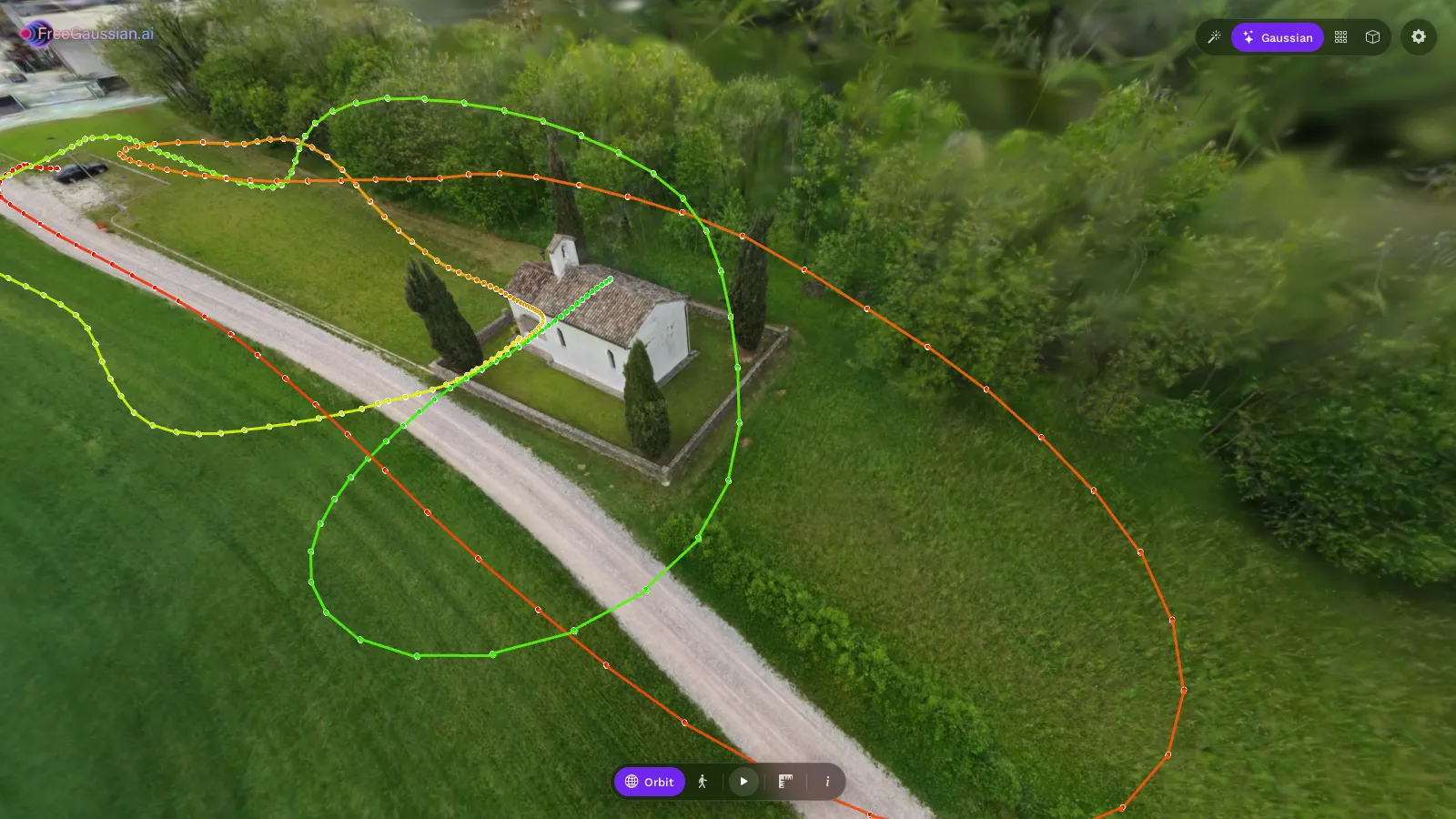 The flight path over the scene, seen from above: the drone circled the building and came back over its own track.
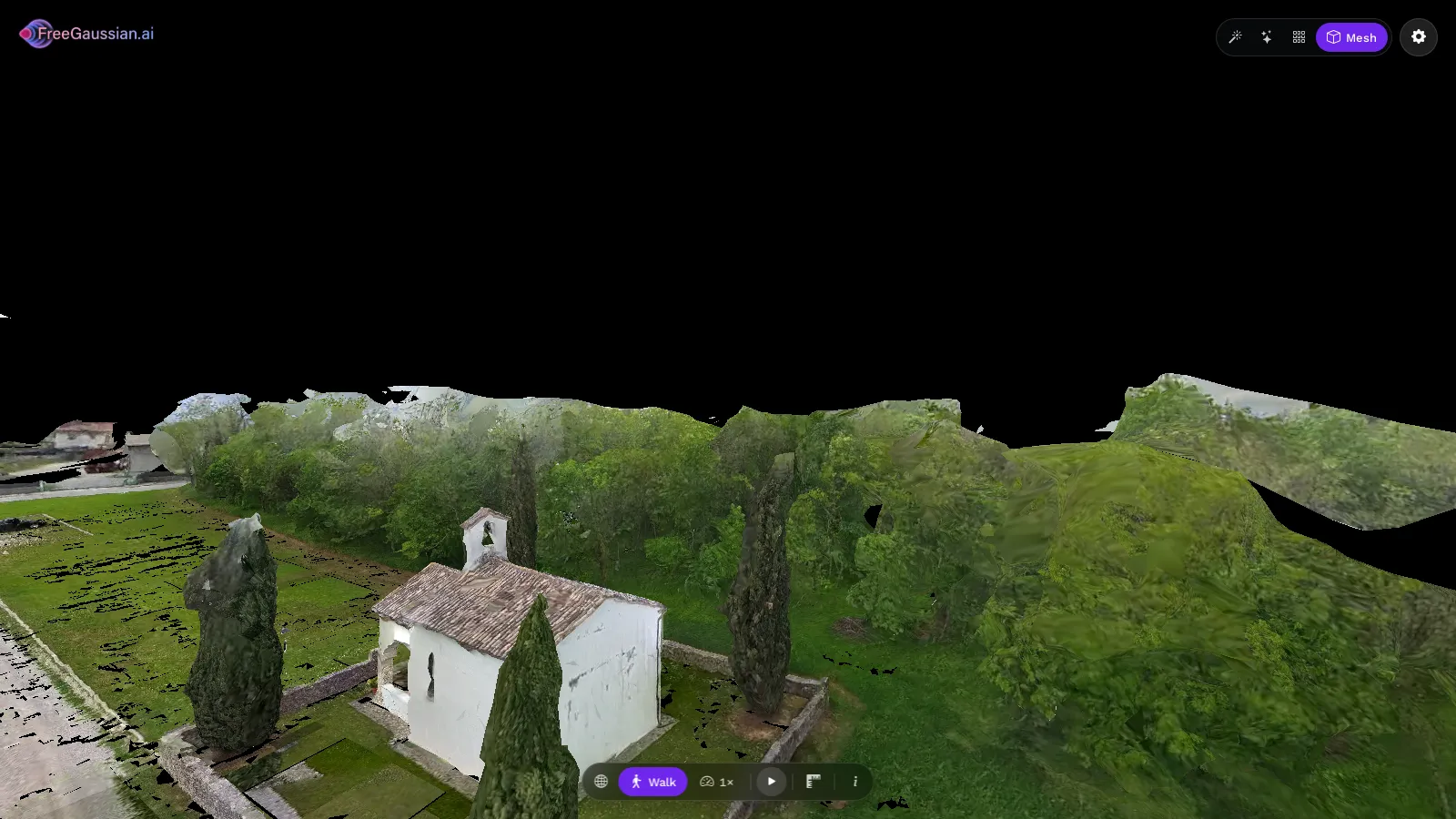 Every scene comes with a textured 3D mesh, level and at real-world scale.
Because the scene is at real-world scale, the measuring tool gives distances in metres straight away, and the mesh drops into Blender, a game engine or a robot simulator such as MuJoCo or NVIDIA Isaac Sim without rescaling.
How to upload your A1 footage
- Copy the .insv from the drone's SD card. Take the original file, not an export from the Antigravity app. Skip the low-resolution preview files.
- Do not convert or re-export it. Any conversion throws away the fisheye images and the motion data.
- Pick Antigravity on the upload page. The accepted format, .insv, is selected for you.
- Only have an exported .mp4? Pick Equirectangular video. It still works, without the benefits above.
For flight planning — overlapping passes, orbits around structures, steady light — see our drone capture checklist. The general rule is the same as on foot: fly smoothly and come back over places you already covered, so the reconstruction can close the loop.
FAQ
Is it available on the free plan? Yes. Every A1 .insv goes through the native pipeline, free or paid. On the free plan the usual terms apply: free uploads are shared with FreeGaussian, which may feature them, while paid scenes stay yours.
Which Antigravity drones are supported? The Antigravity A1, which records 360 video as .insv files.
How fast or high can I fly? We have not set limits. The rolling shutter correction helps with motion, but as with any capture, slower and steadier flights give sharper scenes.
How accurate is the scale? The scale comes from the drone's IMU, the same way as with the Insta360 X5 and X6. For survey-grade measurements, check a known distance in the viewer.
Fly it, upload it, walk it
The short version: upload the A1's .insv, not the export. You get the original fisheye images, rolling shutter correction, a level scene at real-world scale and a mesh, from the file that is already on your card.
Upload your A1 flight → (Free tier, no install, no credit card.)